Turbo Studio 2.11.523
Released 30th of January 2024
What’s new
- New Homepage for Bikes and Batteries
- Consistent Navigation Menu
- New Customize Screen
- Battery Recovery from Bootloader
- Antitampering Vado S
- Battery diagnostics support for Levo with 500 Wh battery
New Homepage for Bikes and Batteries
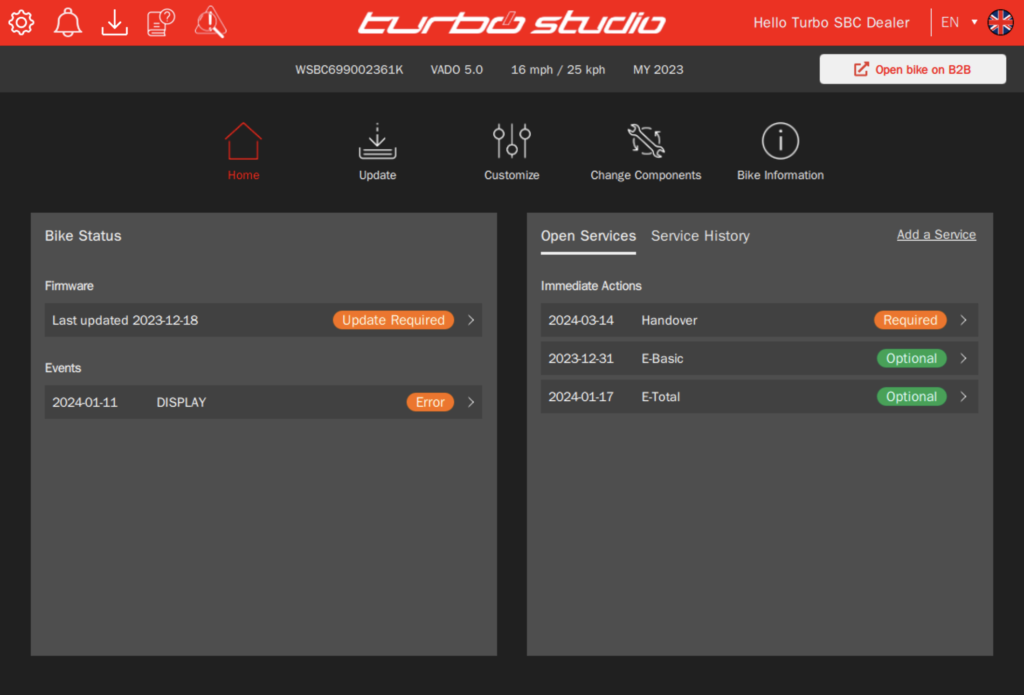
Turbo Studio Home Page now highlights Firmware Status, Recent Errors, and Services.
Immediately when connecting the bike or a battery, you will see if the bike needs to be updated, has recent errors that need to be analyzed, or if there are any Services open that need to be performed. Some of these service actions can be instructed by Specialized, and if they are required, the expectation is to perform them on the earliest convenience.
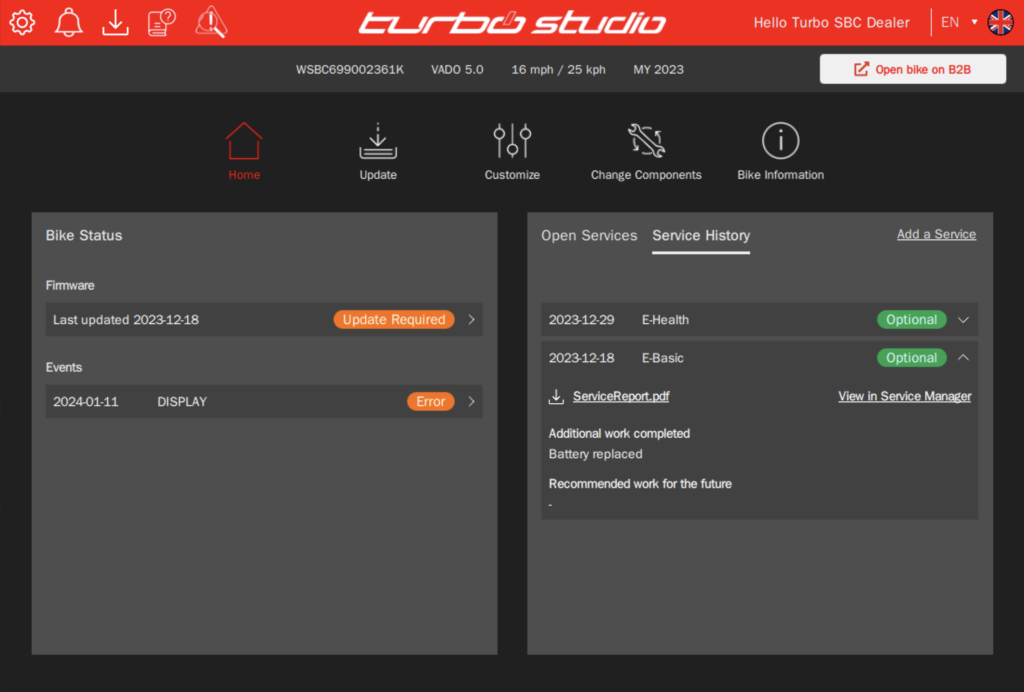
Clicking on any line will directly take you to the required details and instructions on what needs to be done. The Service History will give you a summarized overview of the Services that have been logged on the bike before and recommended work that was identified for future services.
Consistent Navigation Menu
Consistent Navigation Menu throughout the entire application



New Customize Screen
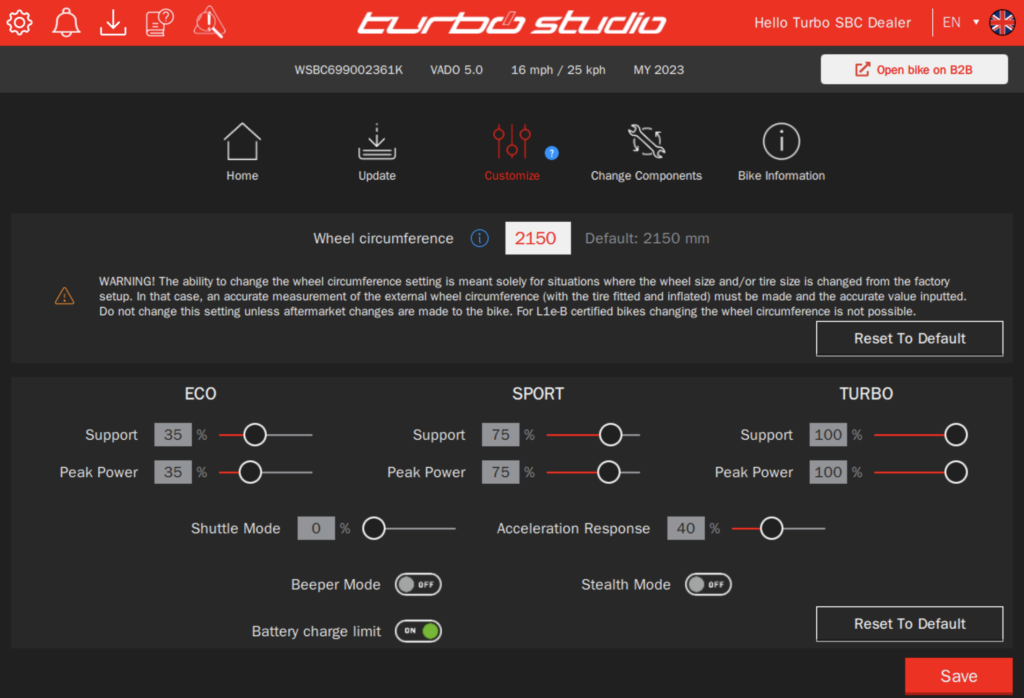
Customize Screen is now divided into two parts where a new option to reset the wheel circumference to its legal default value is added and is strongly advised to be selected when the value is different.
Bike behavior settings are positioned in a lower part.
Battery Recovery from Bootloader
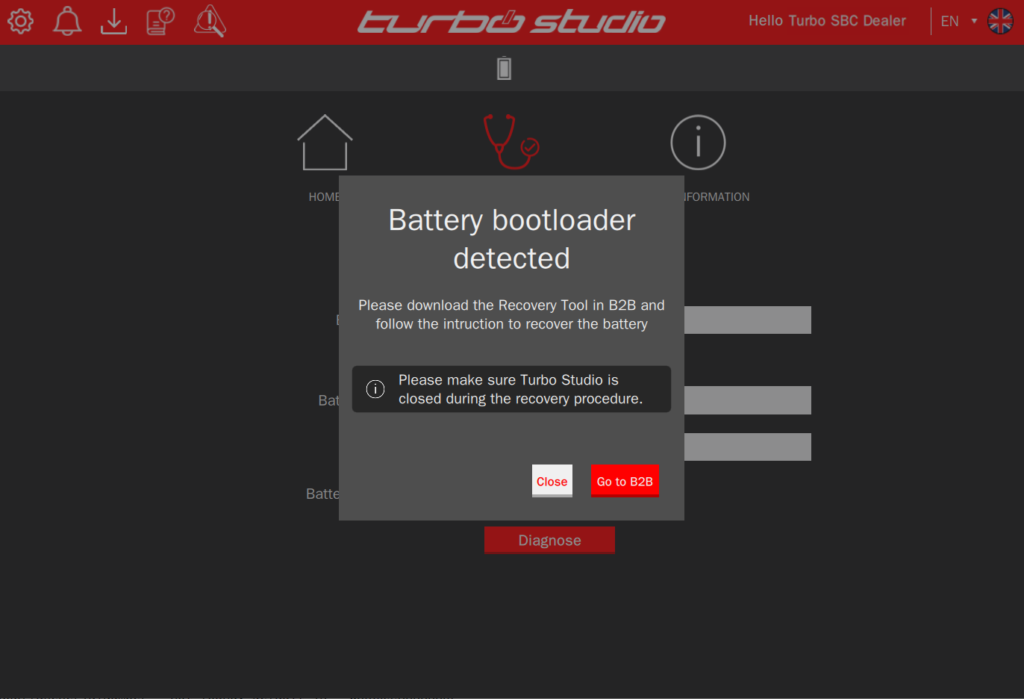
Some batteries can be recovered from bootloader mode. Detection whether a battery can be recovered or not, is performed at the beginning of the battery diagnostics process in Turbo Studio.
The recovery process can then be performed via the diagnostics tool using a dedicated third-party software that is available in B2B.
Antitampering Vado S
For Vado S (=L1e-B / 45km/h bikes with license plate) the legislation requires either a second speed sensor or a speed plausibility check.
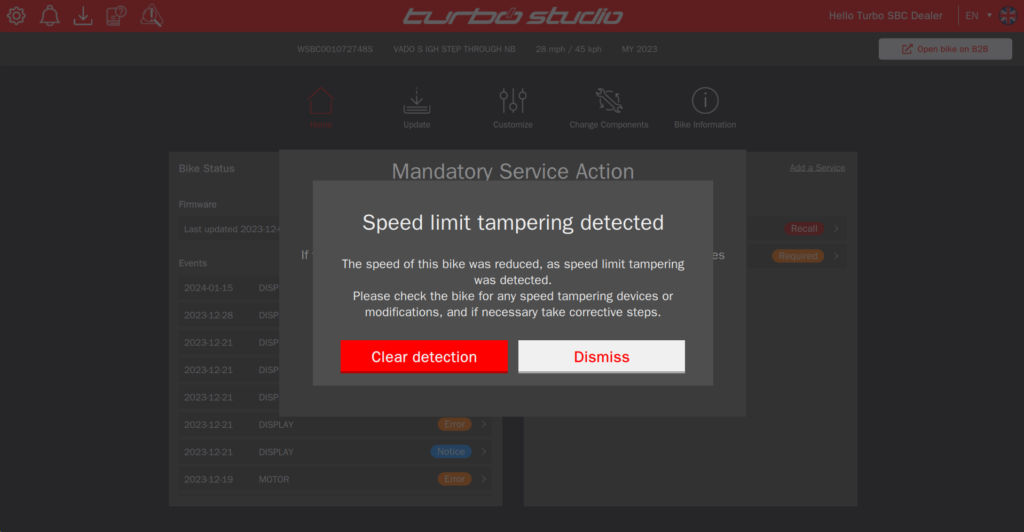
If speed limit tampering is detected, the speed of the bike will be reduced. The rider is being informed about an error on the display.
Connecting the bike to Turbo Studio, the retailer will see a pop-up that speed limit tampering was detected.
=> The retailer should take corrective actions on the bike, and “clear” the detection pop-up
=> Dismissing the pop-up will cause the pop-up to show again next time
Battery diagnostics support for Levo with 500 Wh battery
500 Wh Levo Gen 2 and Gen 3 batteries can now be diagnosed using Turbo Studio.