Turbo Studio 2.12.534
Released 14th of May 2024
What’s new
- Update Process Improvements
- Service Area – Homepage Enhancements
- Legal Compliance update
- Customize Screen improvement
Update Process Improvements
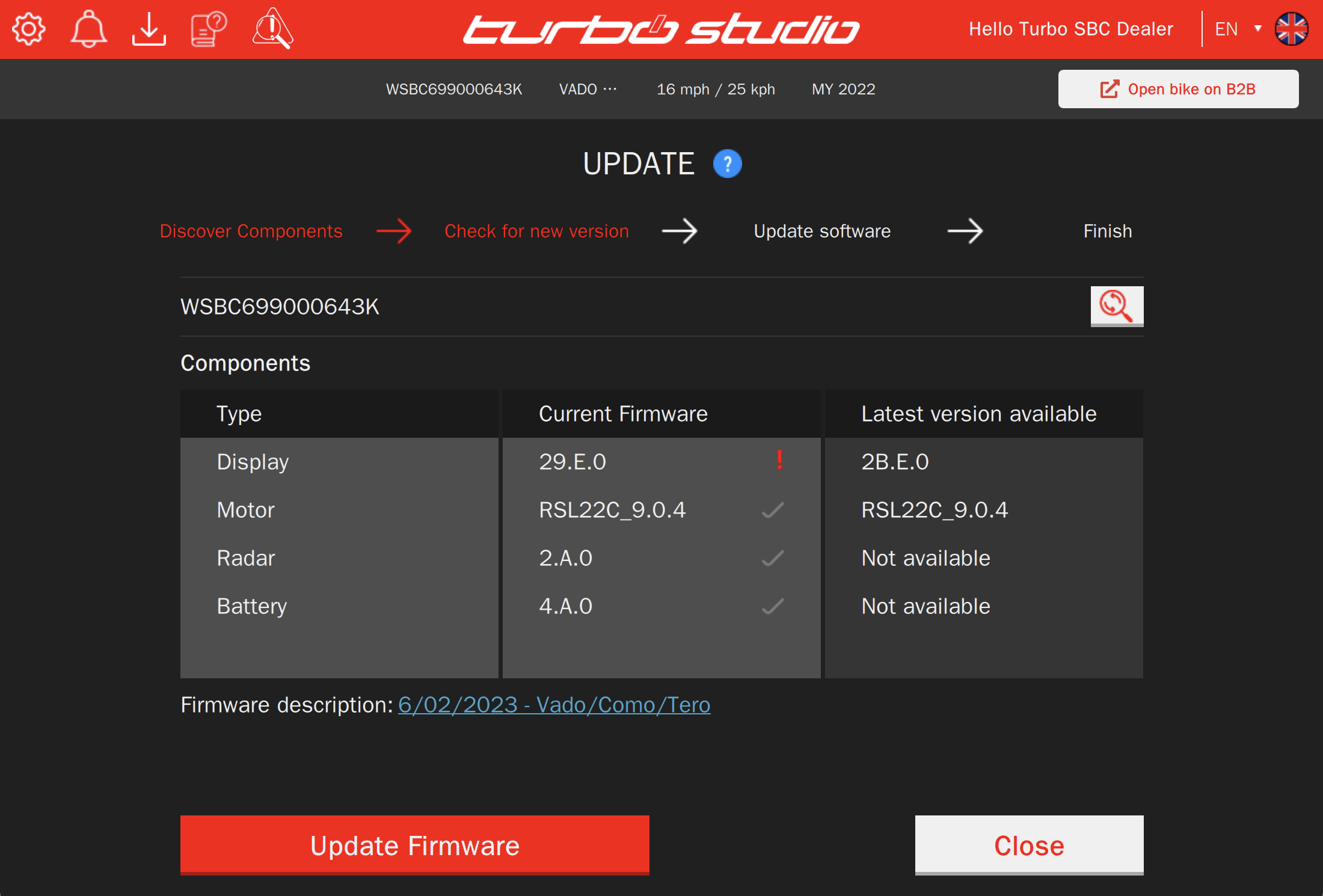
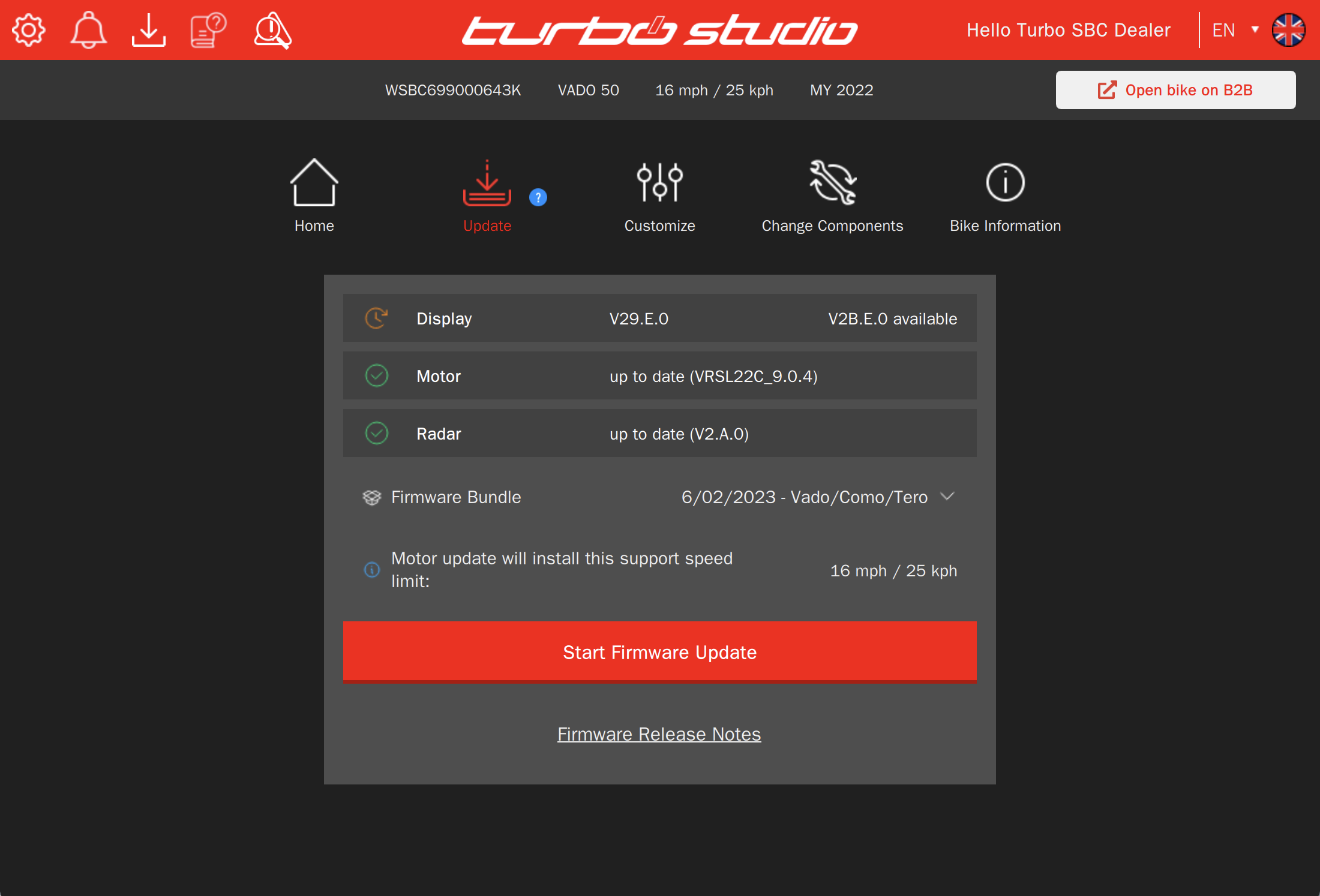
During the bike update process, retailers will now be able to choose the desired speed limit setting from a dropdown menu, if multiple options are available.
Furthermore, you may have observed that when you select the update option but haven’t initiated the update yet, the menu options above are now accessible. This allows you to switch to another option if needed.
| Update Screen before | Update Screen now |
 |  |
When your bike has the latest firmware installed, the ‘Update’ screen will display a green tick next to each system component. Instead of the ‘Start Firmware Update’ button, you’ll now see a message indicating that ‘The Firmware is Up To Date’.
| Up-to-date bike before | Up-to-date bike now |
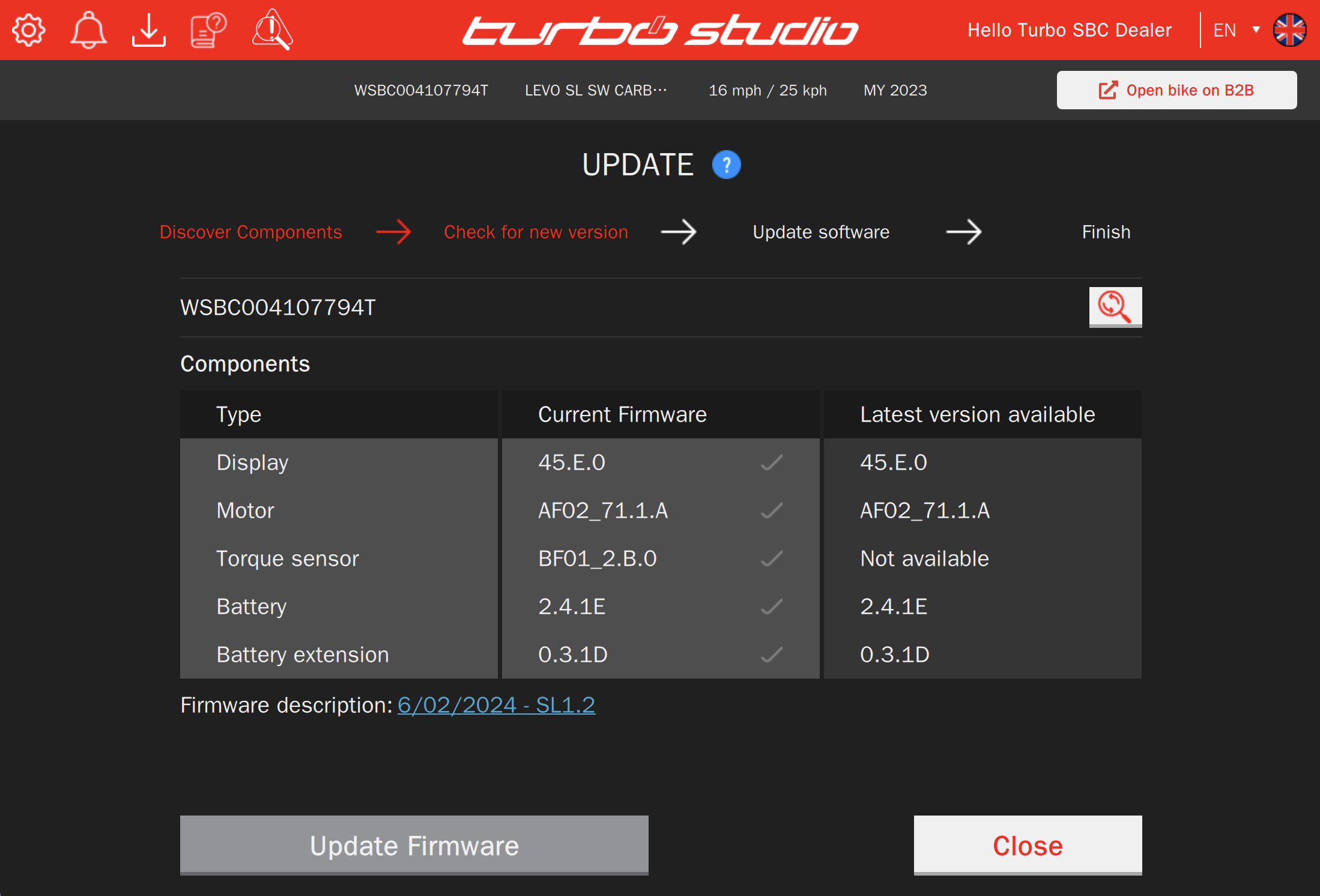 | 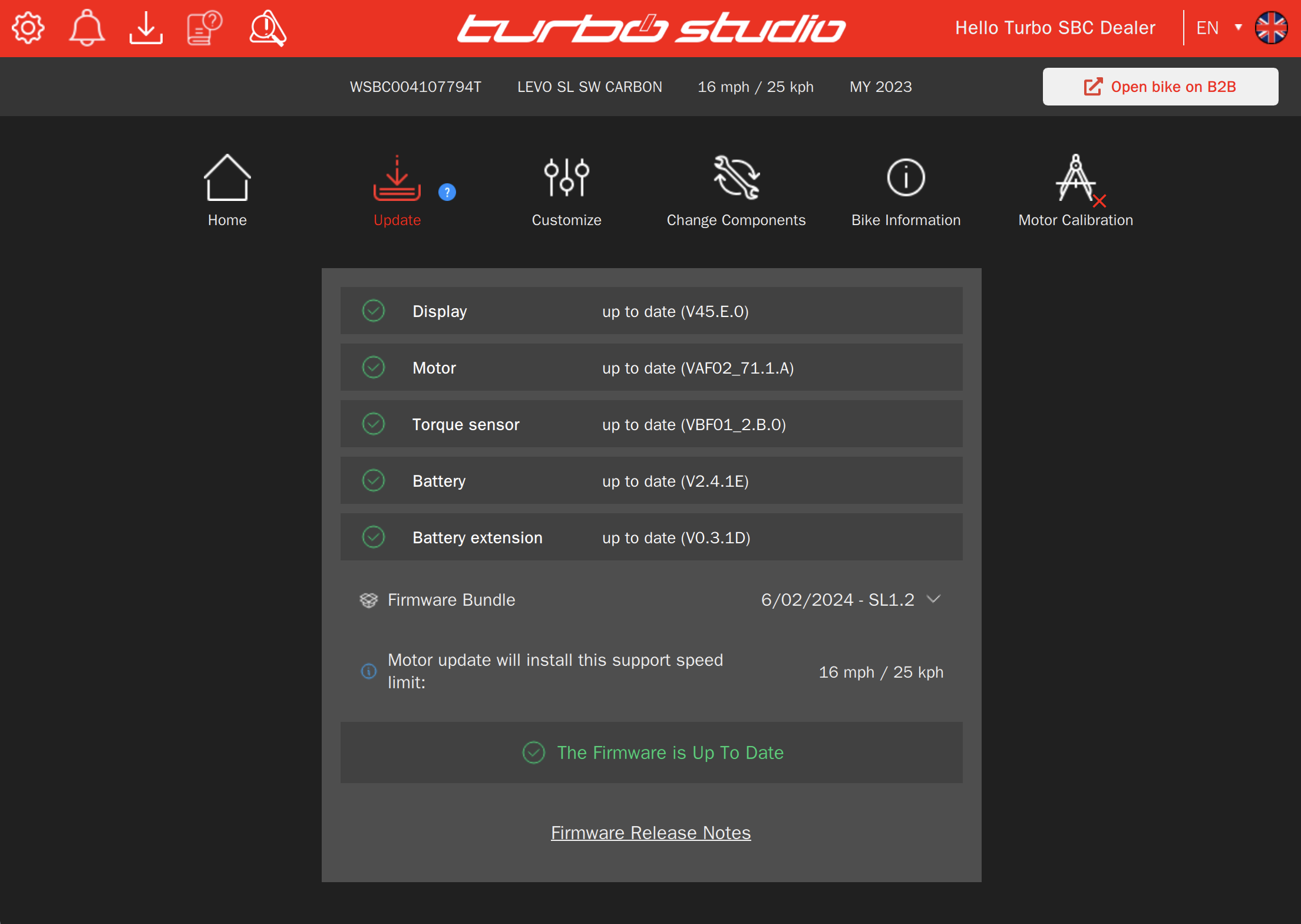 |
If motor calibration is needed for this bike, simply click the ‘Go to Calibration’ button. It will instantly take you to the motor calibration page, allowing you to start the calibration process.
Service Area – Homepage Enhancements
In the Service area under “Open Services,” you will find a list of services categorized by urgency and service due dates. This includes pre-planned service activities scheduled for riders during the handover process, aimed at establishing a successful return of riders to your store for regular services at specific intervals.
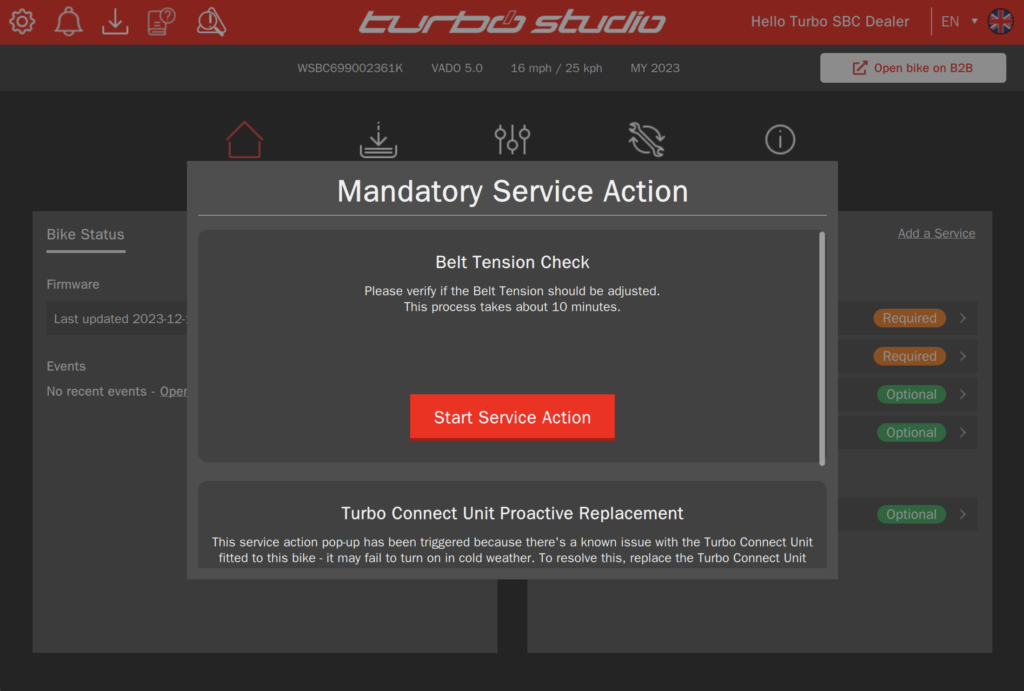
Within the “Open Services” list, you may also encounter “service actions”. A service is any “Service Action” performed on a bike. They can be the result of a known issue or recall, service intervals (“Service Menu”), a warranty claim, or the need for any individual service on the bike. These actions may include published links to technical bulletins providing additional information about the service action and its proper execution. Clicking on the link next to a service action will download the corresponding technical bulletin.
These technical bulletins follow the same urgency principles as service actions and are tied to specific bikes:
- Recall – Immediate action required.
- Required – Essential action needed.
- Recommended – Action that should be taken.
- Optional – Action that could be considered.
For urgent service actions such as recalls, a pop-up screen will appear on the Turbo Studio homepage when the bike is connected. This ensures that critical services are addressed promptly for rider safety and satisfaction.
Legal Compliance update
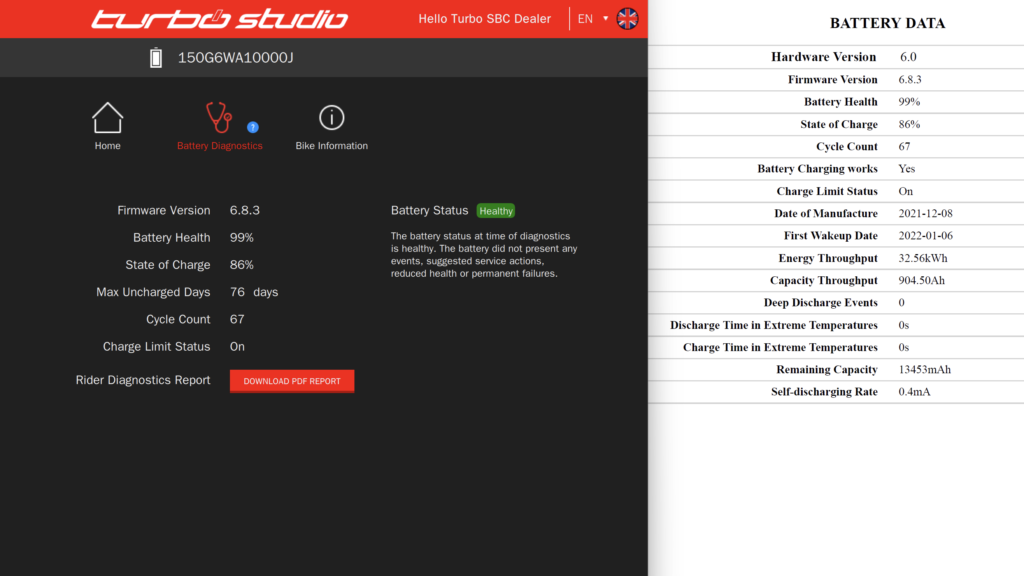
We have recently implemented changes to ensure compliance with Article 14 of the new regulation (EU) 2023/1542 governing batteries and waste batteries.
According to these requirements, rechargeable industrial batteries and electric vehicle batteries must now include a battery management system that stores the information and data needed to determine the state of health and expected lifetime of batteries.
You can now request detailed information about the battery’s health status through our battery diagnostic process. The relevant data will be conveniently available in a generated PDF report. You can either print out the report and provide it to your customers or share the PDF directly with them upon request.
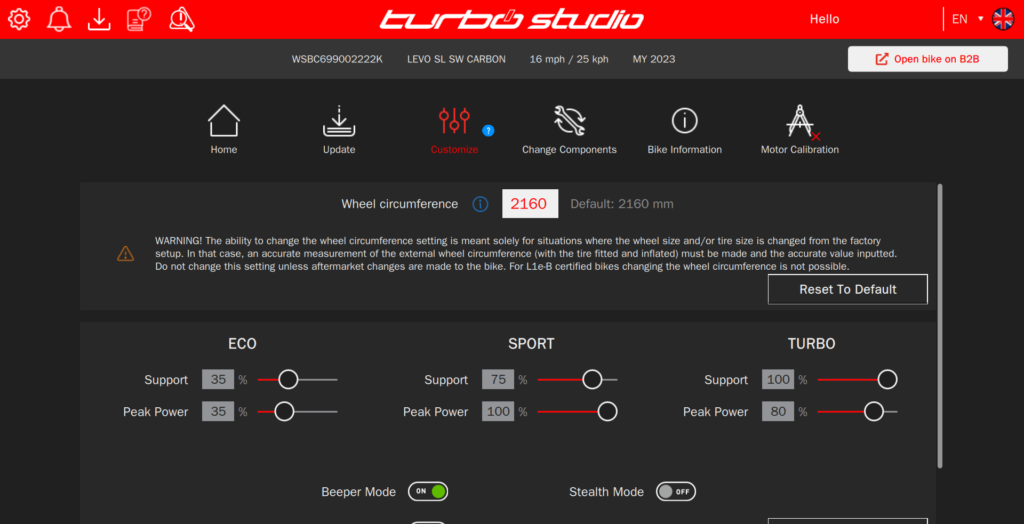
Customize Screen improvement
In version 2.12, we’ve implemented scrolling functionality directly within the screen. This ensures usability even when using Turbo Studio on a minimized screen. However, we recommend utilizing full HD screen resolutions to prevent any unintended functionality issues that might occur with lower resolution screens.