Turbo Studio 2.13.542
Released 17th of September 2024
What’s new
Service Intervals
With this release, we are introducing on-screen service reminders for all MasterMind-supported bikes. Riders will get notified about upcoming services on the MasterMind display, as well as in the Specialized-App. For non-MasterMind Turbo bikes, the reminders will only be visible in the App.
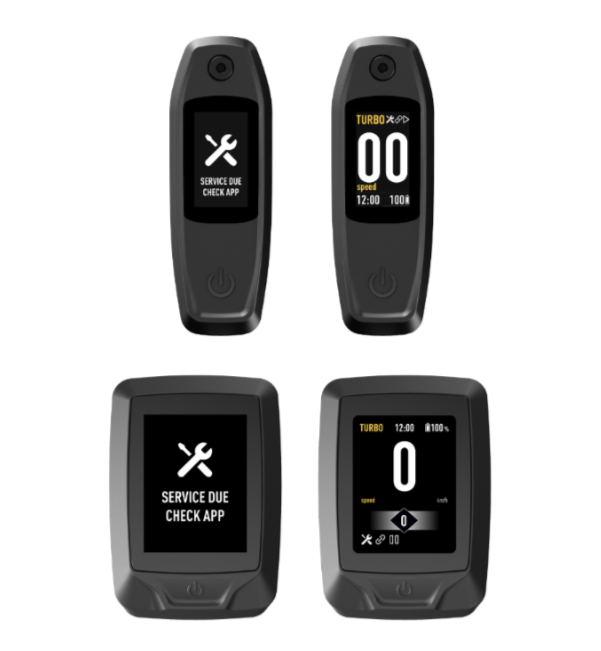
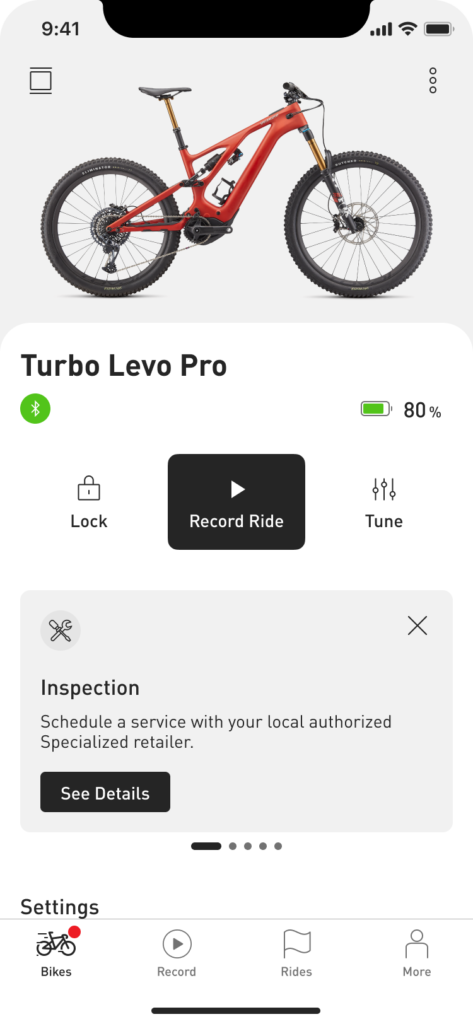
As a retailer, you can set up a bike and schedule pre-determined service reminders to notify riders when it’s time to maintain and service their bikes, ensuring regular upkeep and optimal performance. This allows you to reconnect with the rider and drive return visits and service revenue to your store.
Service Reminders will show on the MasterMind display and the App for any scheduled service from the Service Menu (Inspection Check, Health Check, Annual Service, Total Service). Use Turbo Studio to schedule a service on a bike.
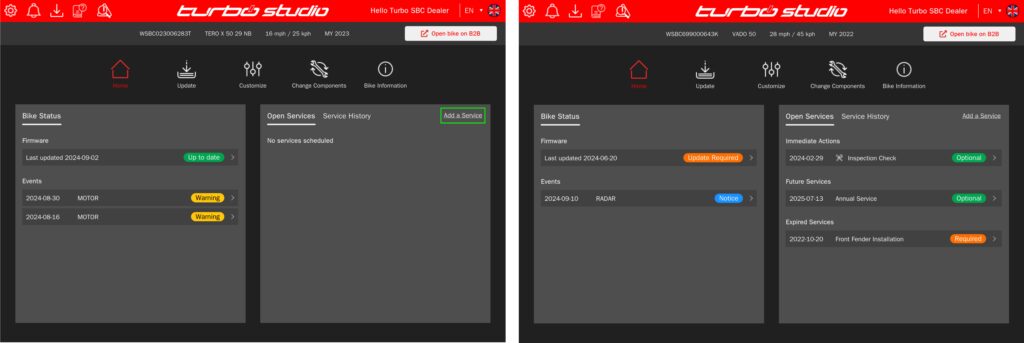
Adding a service with the bike connected:
- Tap the quick link “Add a Service”
- In Service Manager, select “Add a Service Activity” and choose a service from the Service Menu
- As the bike is connected to Turbo Studio, the service automatically syncs to bikes equipped with MasterMind displays
Adding a service remotely:
- Select Bike Information within Turbo Studio
- Enter the Bike Serial Number
- Open Service Manager
- Select “Add a Service Activity” and choose a service from the Service Menu
- Post adding a service, please ask the rider to open the Specialized-App, and to connect to the bike
Firmware
All bikes will need to be on the latest firmware to add service intervals. For new bikes the firmware applied will be the latest and intervals can be added immediately. For bikes in the field or on your shop floor ensure they are up to date by using Turbo Studio.
For more details about this new functionality, please visit our Support Center: https://support.specialized.com/kb/sp_en-us/content/ECV3-5378/Service.
New Store Manager Overview
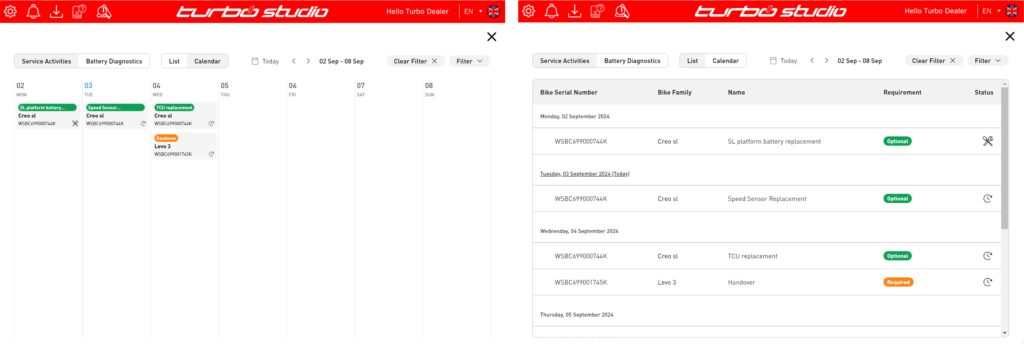
The new Store Manager overview provides a clear snapshot of all upcoming services. You can easily customize your view using the various filters. Simply click on any service to access its details, where you can complete or edit the service as needed.
New Update Progress Screen
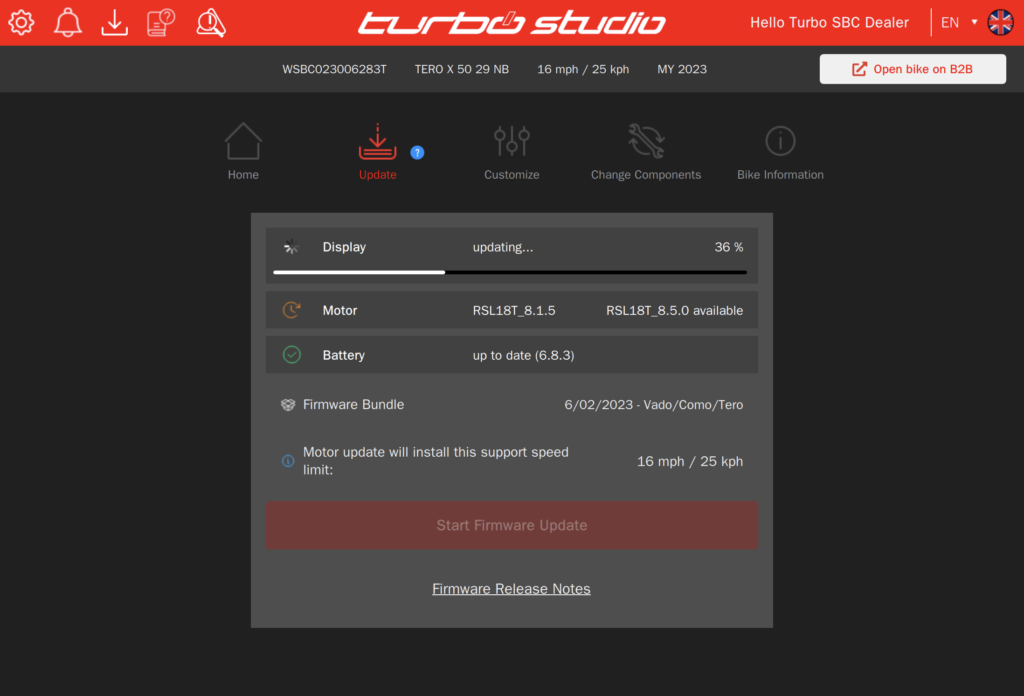
Our new update screen now includes a progress bar that shows how far along the display, motor, or battery is in the update process. This gives you a better idea of when the update will be complete.
New Diagnostics Guide
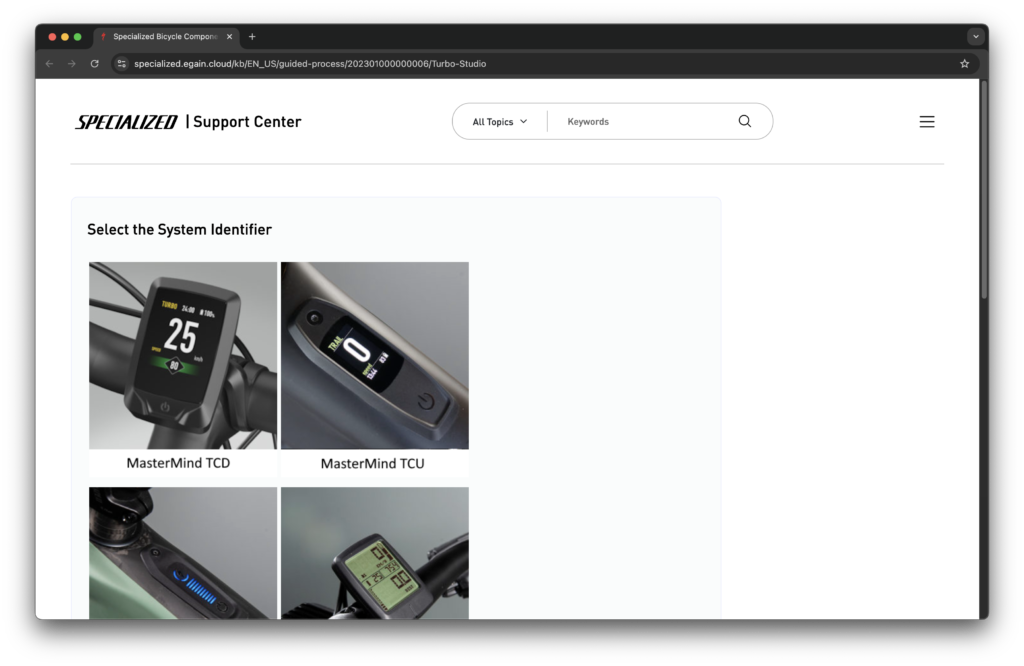
The Diagnostic Guide has been updated to align with the design known from our Support Center, which we re-platformed beginning of 2024. As a retailer, you will be able to access the Diagnostics Guide as usual, using Turbo Studio. Furthermore, our new knowledge tool enables us to make further improvements over time – here are three examples:
- Support of additional languages
- Rider-facing diagnostics flows, surfaced on the Support Center
- Better usability and seamless user experience
Our teams are working on these and other improvements to support you and our riders with efficient resources for problem solving.